


Introducing the New RealSatisfied Broker Dashboard
.jpg)
We're excited to announce the launch of our completely redesigned Broker Dashboard - your new command center for managing agents, offices, and reviews across your entire brokerage.
Whether you run a single office or thousands of offices nationwide, this new Broker Dashboard is designed to grow with you. With intuitive navigation and powerful filtering capabilities, you'll have complete visibility over your entire brokerage's review management.
What's New in the Broker Dashboard
Global Office Filter to Quickly Find What You’re Looking For
The new global office filter gives you the flexibility to view data across all offices or show data only for specific locations. Apply your selection once at the top of the dashboard, and every section will automatically reflect your choice. Switch between views whenever you need - the global office filter is available on every screen.
.jpg)
Simple & Quick User Management
Adding, managing, and deactivating users? It's all in the ‘Users’ section. Filter by status, role, rating, number of reviews, and more. Add new users, assign admin permissions, and appoint escalation contacts. See agent statistics and request reviews on their behalf.
You can even resolve pending reviews and remind agents to approve new testimonials - all from one place.
Full Office Administration
Manage all of your offices effortlessly in the ‘Offices’ section. Search, filter, add new offices, and configure settings for each individual office. You can also view all agents within an office, address reviews requiring action, send reminders to approve testimonials, as well as view office ratings. All at your fingertips.
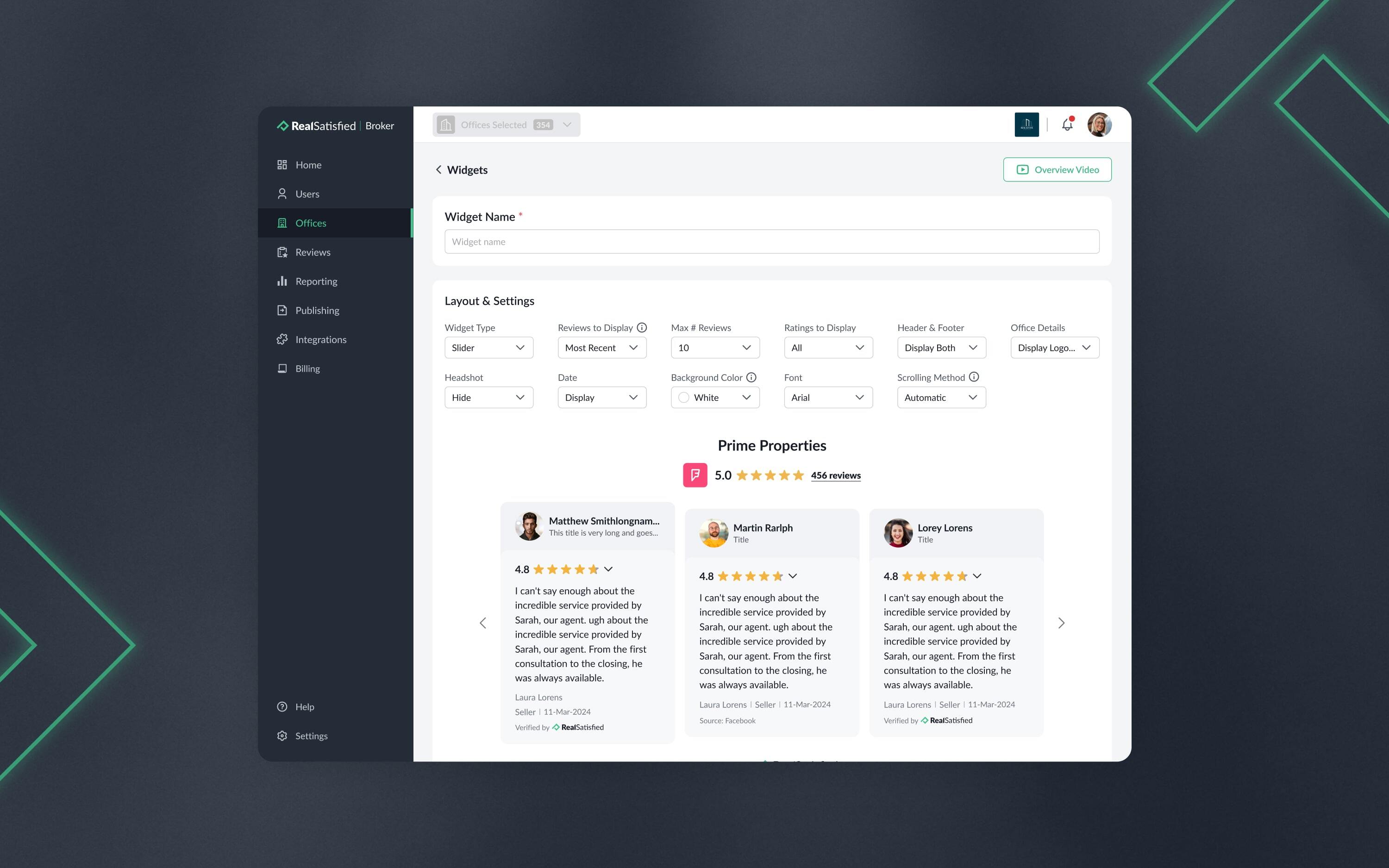
In the ‘Offices’ section, you can also create Website Widgets and view the RSS Feed for individual offices, so you can easily display reviews for that office anywhere online. You’ll also see the API settings for each individual office if they have been enabled brokerage-wide.
.jpg)
Better Visibility of Your Agents’ Reviews
The ‘Reviews’ section is where you'll see all reviews across your brokerage. See at-a-glance metrics for completed reviews, pending reviews, those requiring action, and total testimonials received by your agents.
Filter and search by agent, office, property, or client. You can even import reviews from third-party sites, or request reviews for any agent right from the Reviews section.
Easily view each review and testimonial. Have agents who haven’t approved some of their testimonials yet? No problem. With just one click, you can remind agents to approve all their testimonials.
Want to download a testimonial for a marketing campaign? Click the ‘Download’ button and choose between an image or a PDF format. With an image you can choose between default colors, provide a HEX code or use the color picker to match the colors of your brand.
Updated Publishing Options
Showcase your reviews anywhere online with a customizable Website Widget, or use the fully customizable RSS Feed for your entire brokerage. The ‘Publishing’ section gives you the tools to share your agents’ success stories across your brokerage website.
Brokerage-Wide Settings
Configure review formats, set review permissions for agents, and manage API settings all in one place. Control whether to allow your agents to collect reviews from their Profile Pages, receive a custom Review URL, or import reviews from third-party sites.
Need help? We're just a click away in the ‘Help’ section. Our team is always here to make sure you have everything you need.
Ready to explore the new Broker Dashboard? Log in to RealSatisfied today and experience the new and updated look and feel.

Latest stories
.jpg)
.jpg)
.jpg)


Stay in Touch!
Join our Newsletter.


